How to look up accounts within a KFS eDoc
These instructions detail how to do a KFS Account Lookup (within a KFS eDoc) by using other common search criteria. Instructions for filling out various types of eDocs are on the KFS Help Guides and instructions page.
In KFS, open the Accounting Lines tab of an eDoc and select the magnifying glass icon.

Chart Code
Enter the correct Chart Code, according to the Chart of Accounts. The Chart Code defaults to the Chart Code assigned to the initiator’s Primary Department Code, but it can be changed.
The University of California of Irvine uses 6 charts that report up to the UC (Office of the President) at various levels: IR, MC, NR, SW, TC, TI
UC - University of California (Office of the President)
- IR - Irvine
- MC - Medical Center
- NR - UC Agriculture & Natural Resources
- SW - Systemwide
- Other Chart Codes (TC, TI, UC)
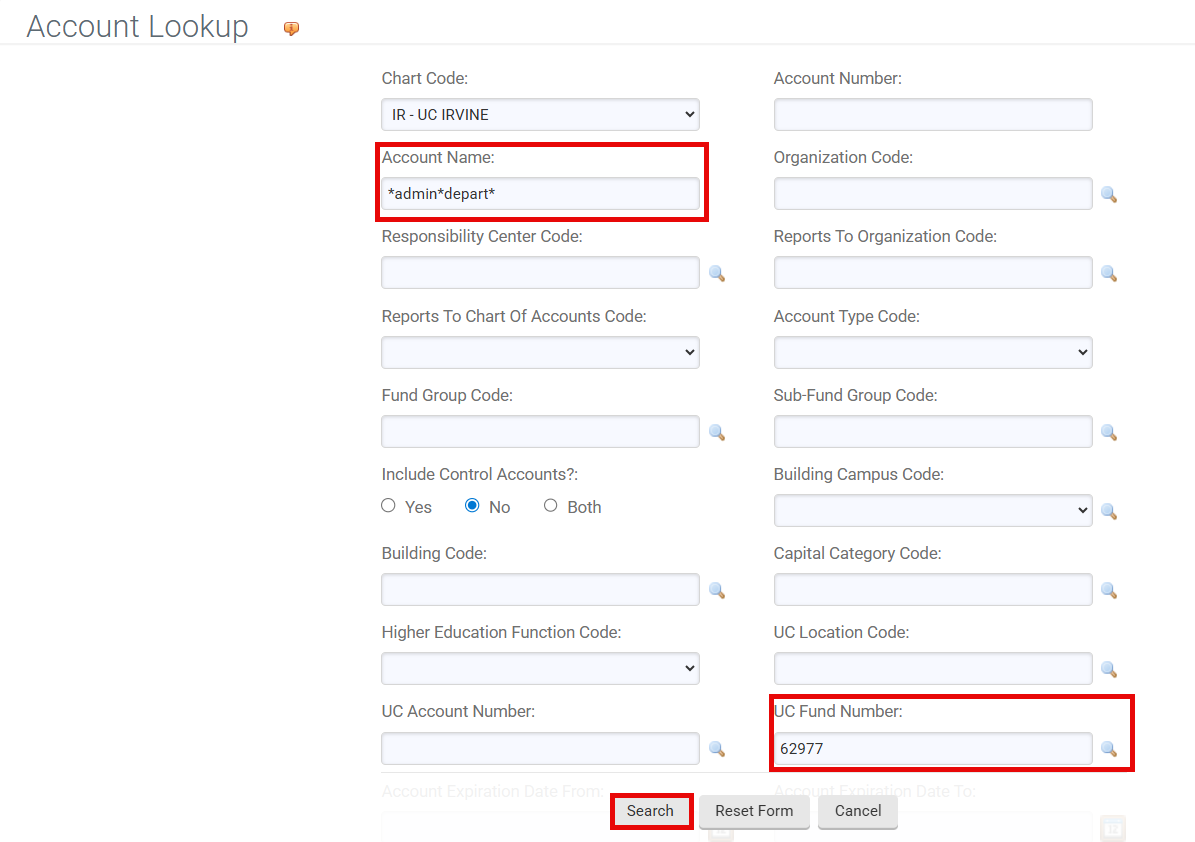
Search for a KFS Account based on the Account Name and UC Fund Number.
Account Name
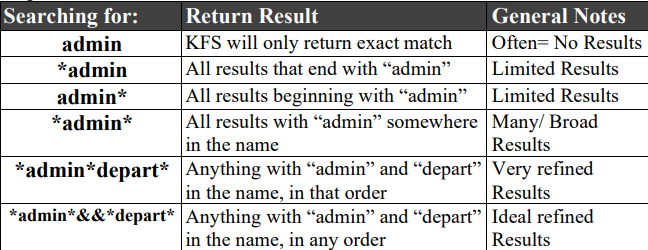
Next to the Account Name field, enter a portion of the KFS Account name as search criteria by using asterisks (*) as search qualifiers, then select the "Search" button.
Note: Asterisks are a way to search in KFS if you don’t know an exact match for something.
UC Fund Number
The UC Fund Number is a five-digit code that represents the account's funding source (e.g., 19933). For more information on UC Fund and funding sources, please see the UC Fund Blocks page of our Fiscal Officer’s website.
You can also search for a KFS Account using other criteria (if the Account Name or UC Account-Fund are unknown) by entering search qualifiers:
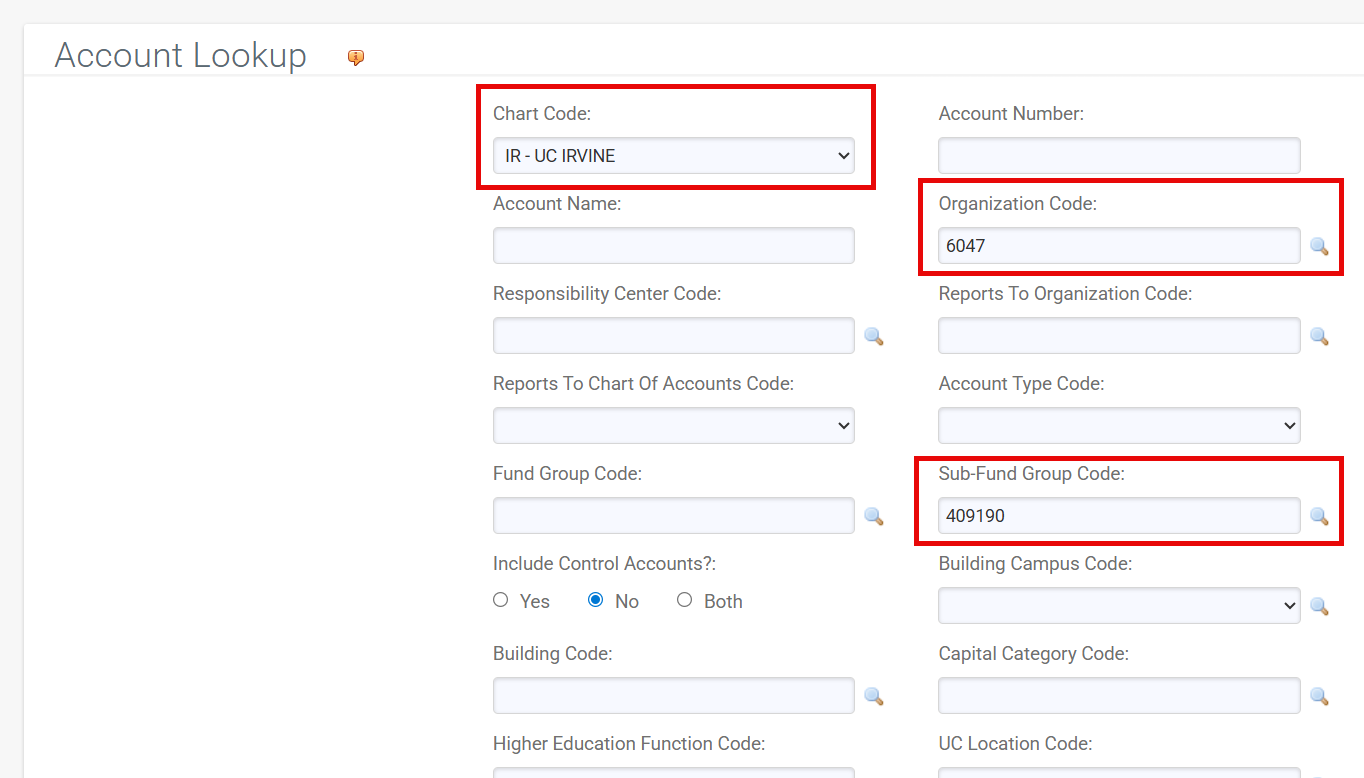
- Organization Code - The 4-digit code given to each unit/department/organization in KFS
- Sub-Fund Group Code - The six-digit code used to designate the type or purpose of funds found in that account. It defines the source of funds in that account. It can also be used for reporting purposes, defining business rules, and routing.
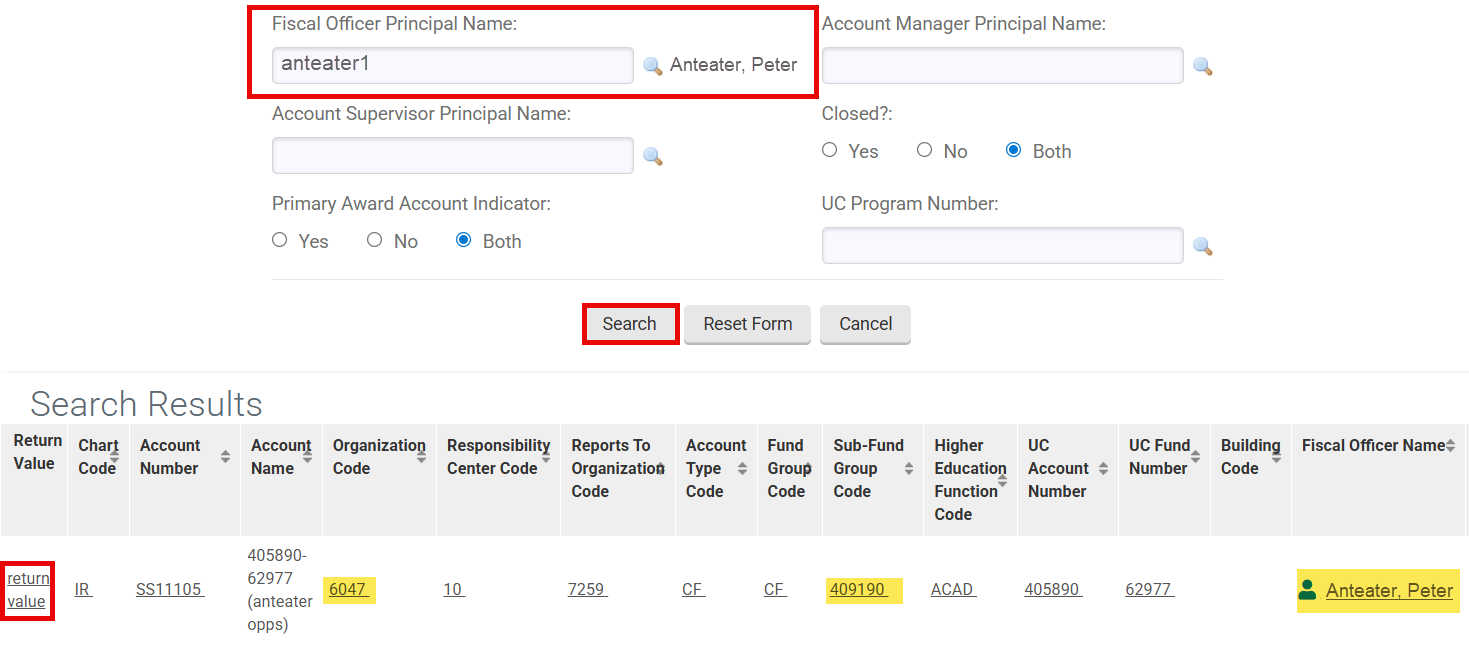
- Fiscal Officer Principal Name - UCInetID of the Fiscal Officer responsible for a KFS Account.
Select the Return Value link to return the account number into the Accounting Lines tab of the document.